 US
US PT
PT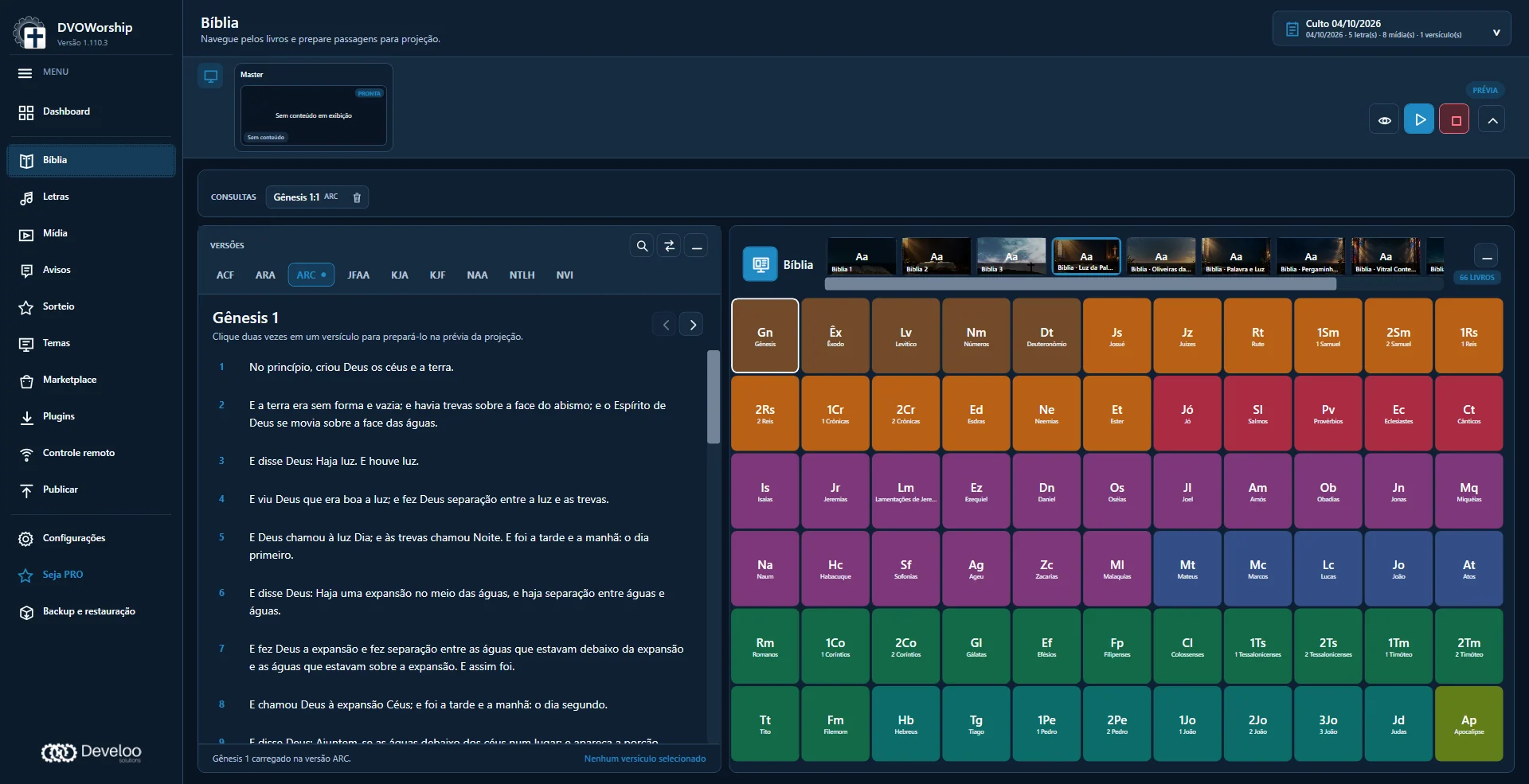
Prepare
Select Bible passages, organize worship songs and prepare the media queue before the service.


 DVOWorshipProjection for churches
 From Scripture readings to worship songs, bring your service projection into one workspace. Prepare verses, lyrics, images and videos so your team can guide every moment clearly.
 Browser controlPRO
 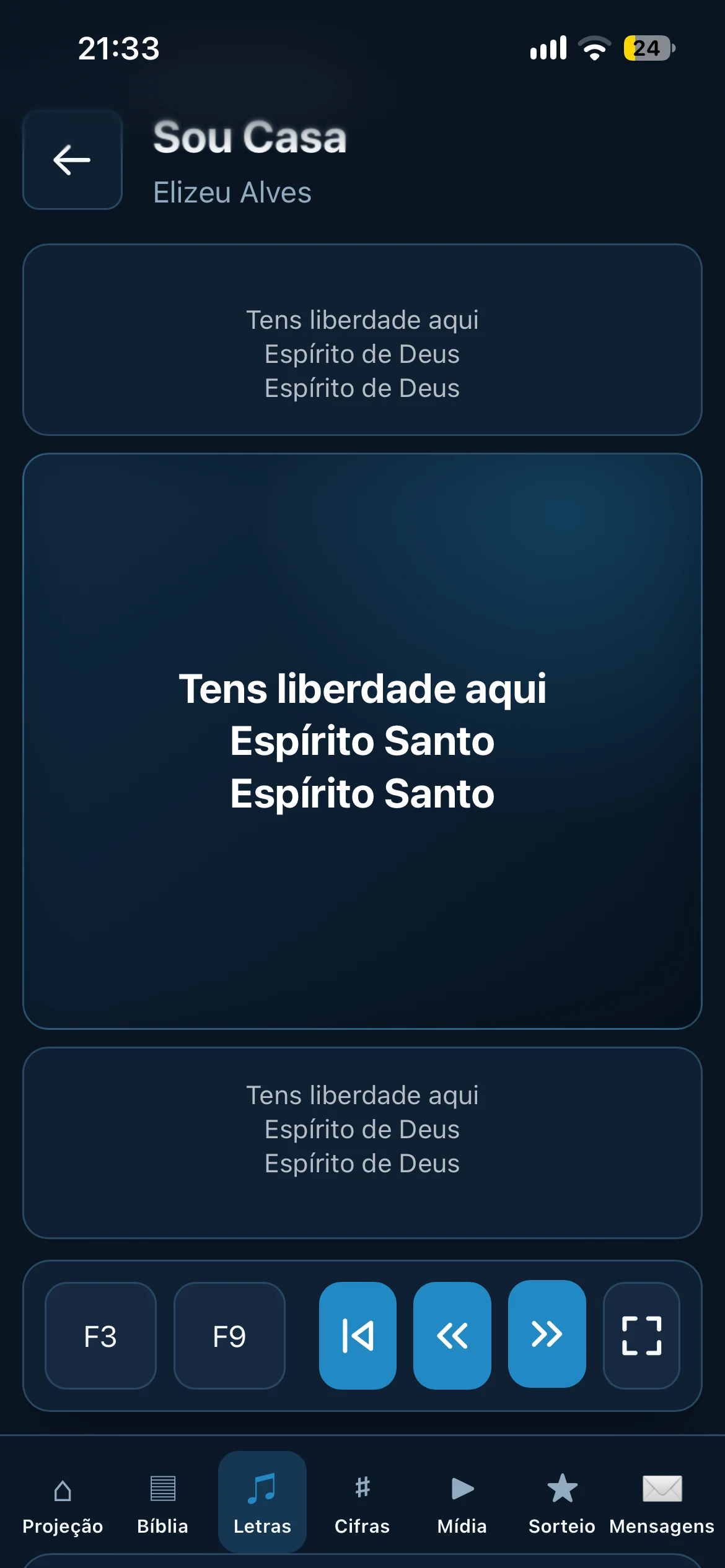 Browser controlPRO
 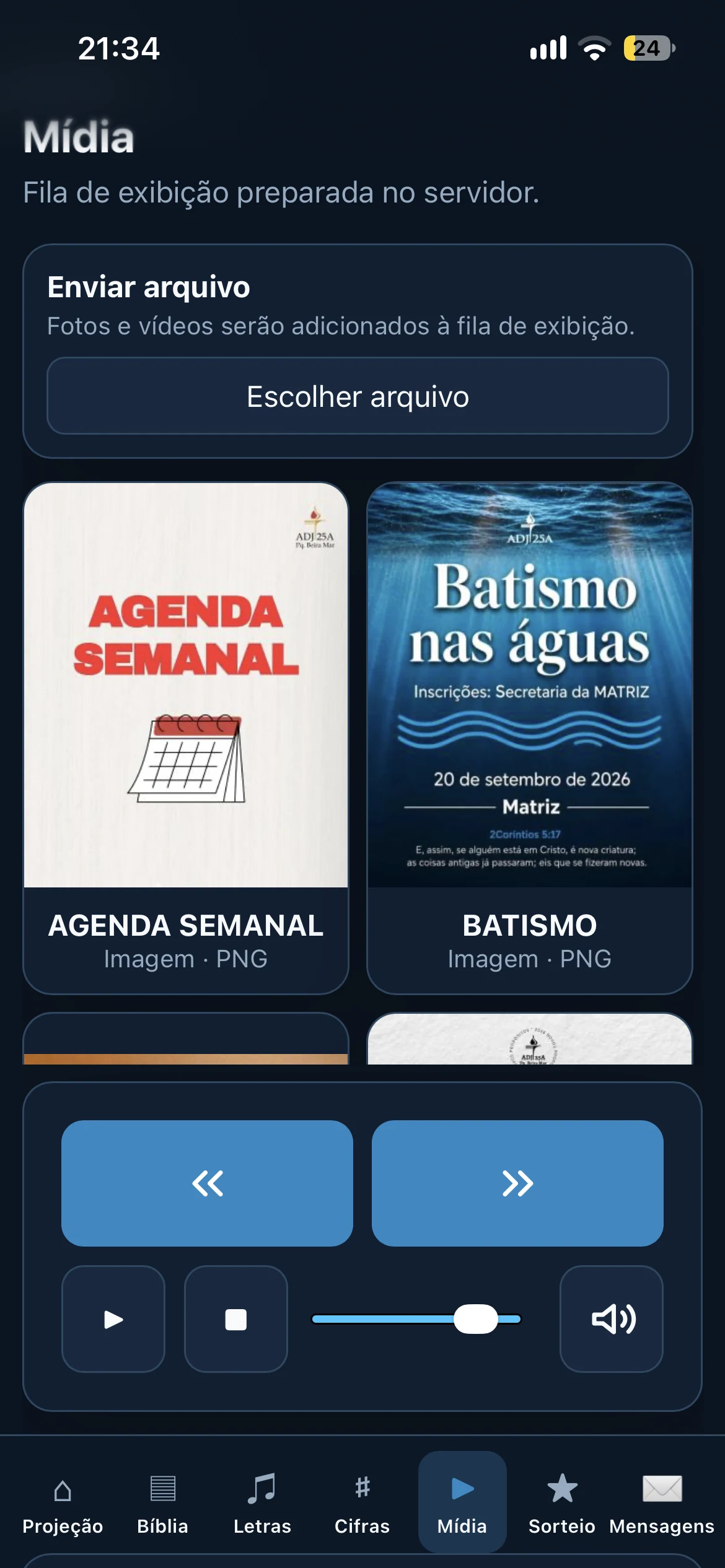 Browser controlPRO
 Actual application screens. Select an image to enlarge.
From preparation to projection
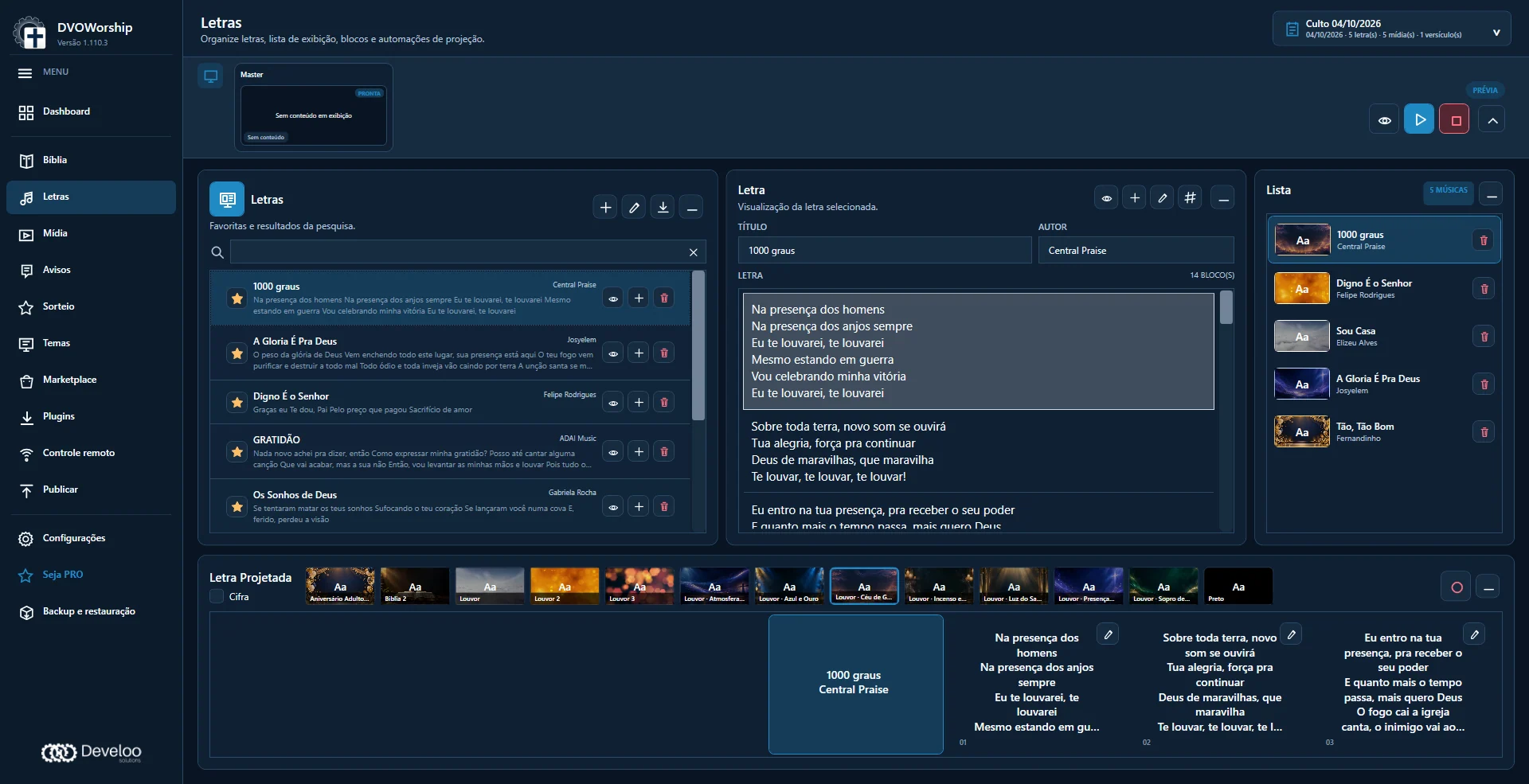
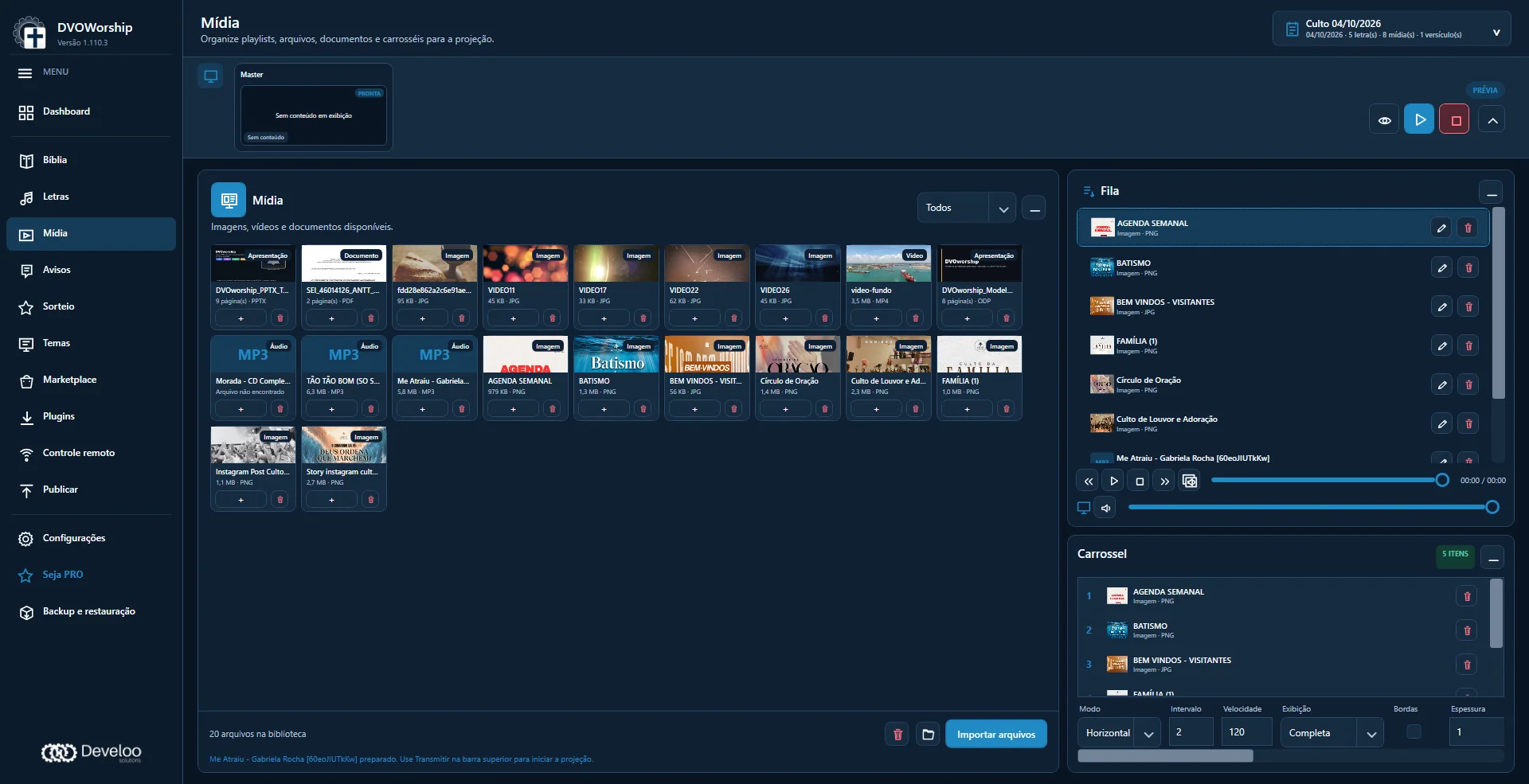
Select Bible passages, organize worship songs and prepare the media queue before the service.
Choose themes, adjust the text and give the presentation your church’s visual identity.
Check the preview and guide lyrics, verses and media with the operator controls.
One connected workspace
Bible, lyrics and media are the foundations of your projection. Switch content while keeping the service in view.
Keep up with the reading
Browse books, chapters and verses. Compare the same reference across installed versions and follow the translation being used.
An organized set list
Prepare lyrics in blocks, build the set list and keep the next section close at hand during the service.
Keep the service moving
Bring files together, organize the queue and prepare playback before the event. Adjust images and video segments within the media workflow.
Your community’s visual identity
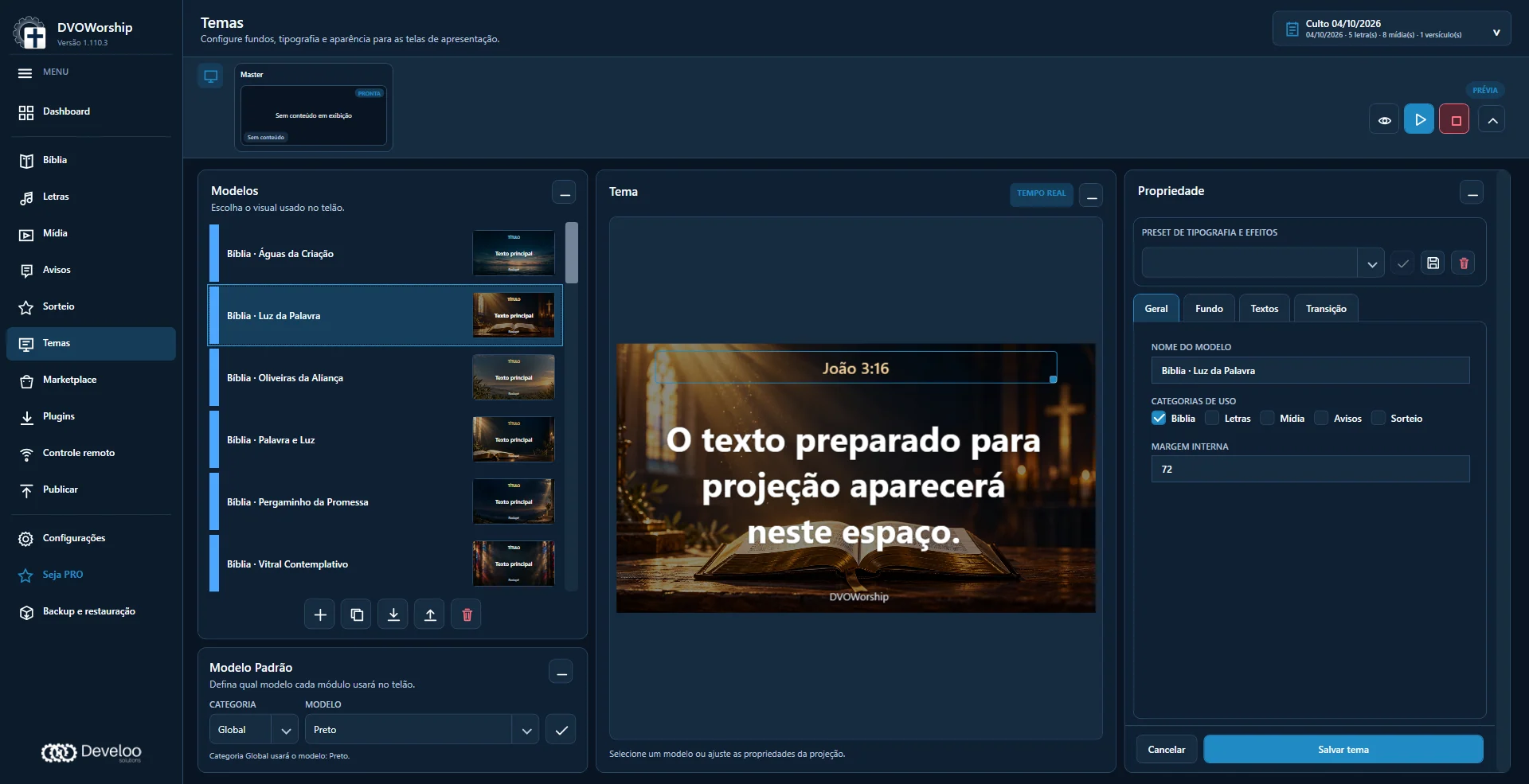
Backgrounds, fonts, colors and text areas come together to shape your presentation. Adjust the theme in the preview and reuse it in upcoming services.
 Enlarge image
 Theme marketplace
Browse previews, choose themes that suit your service and expand your visual library. The catalog identifies free and PRO items.
Availability and editing permissions depend on each theme.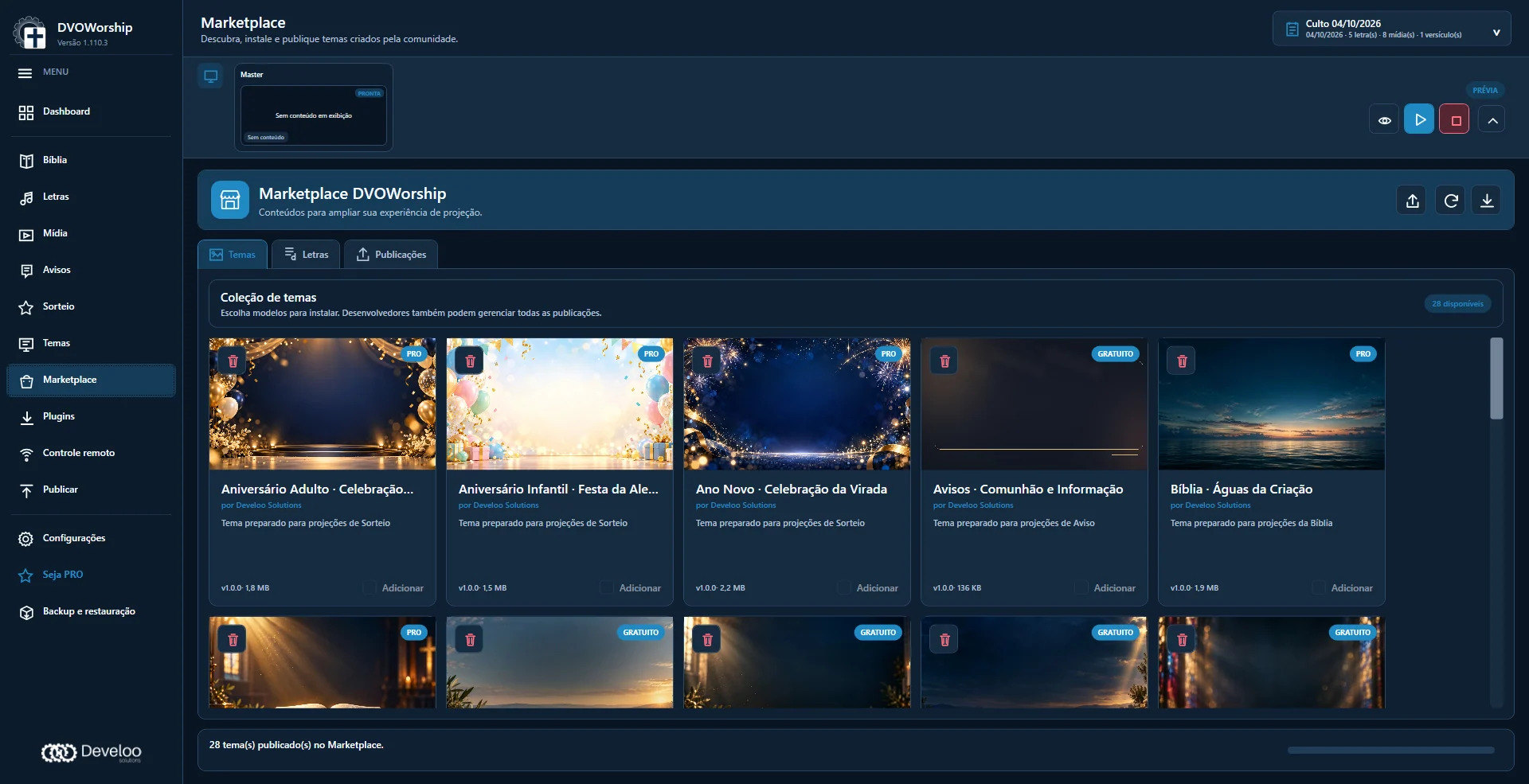 Enlarge image
 Your worship team, connectedPRO
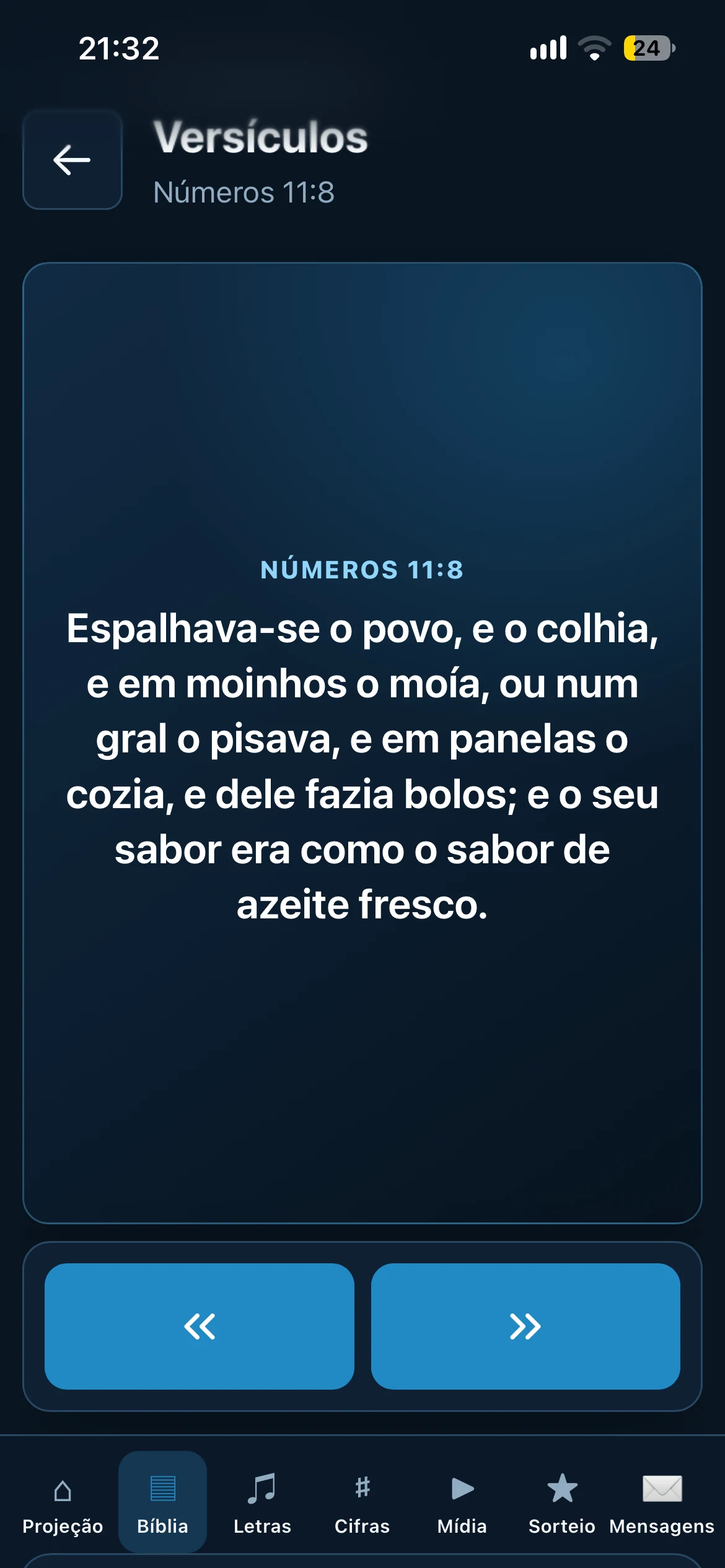
With PRO, use a phone or tablet browser to follow and control projection, according to device permissions. Bible, lyrics, media and chord charts connect your media team and worship ministry.
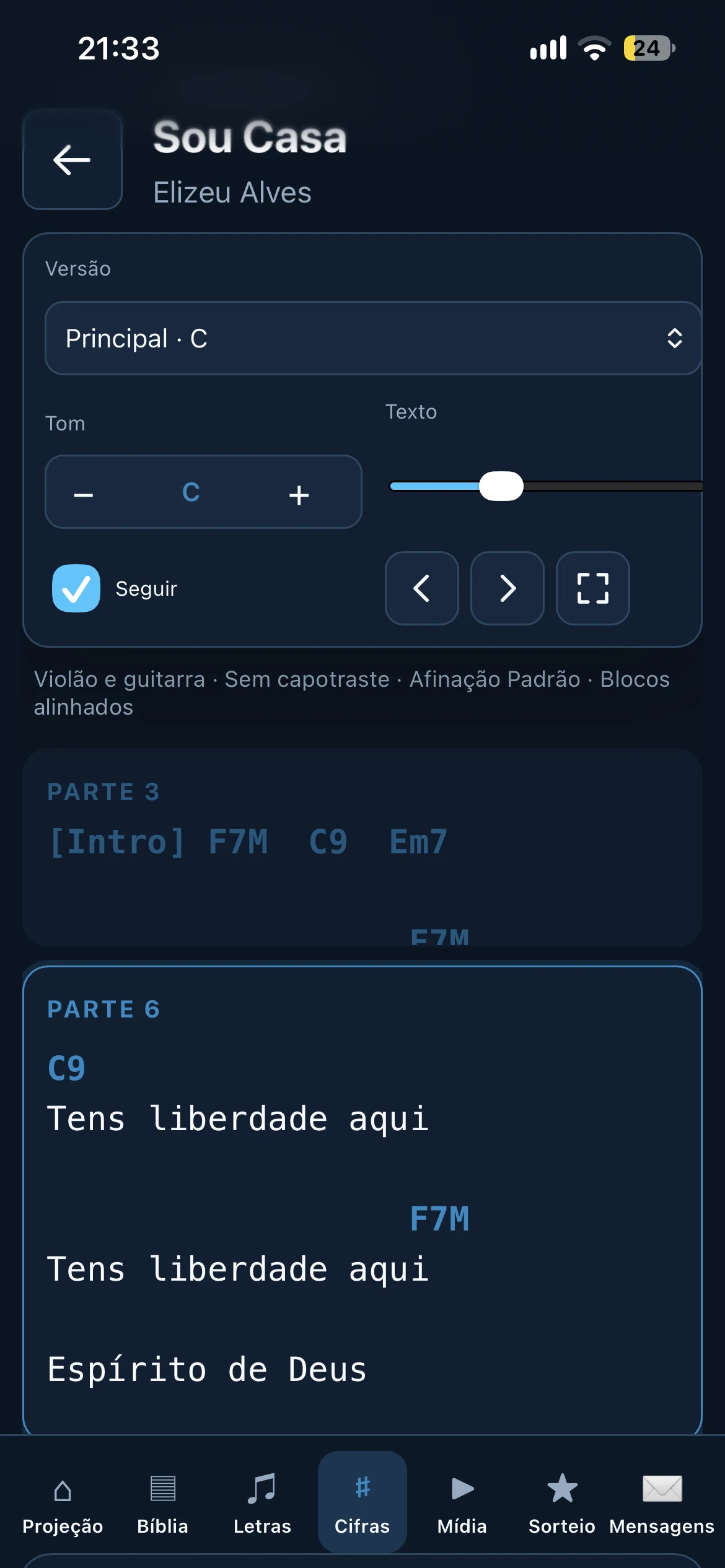
Actual browser access screens. Select an image to enlarge.Swipe to explore the other screens.
Share commands across authorized devices.
Provide chord charts and follow the projected lyric blocks.
Decide who can follow and who can control.
Browser access, with no phone app to install. Requires PRO, operator approval for the device and a connection to the same local network as the computer running DVOWorship.
Explore PROBeyond the presentation
Welcoming attendees, sharing announcements and running event activities are all part of the experience.
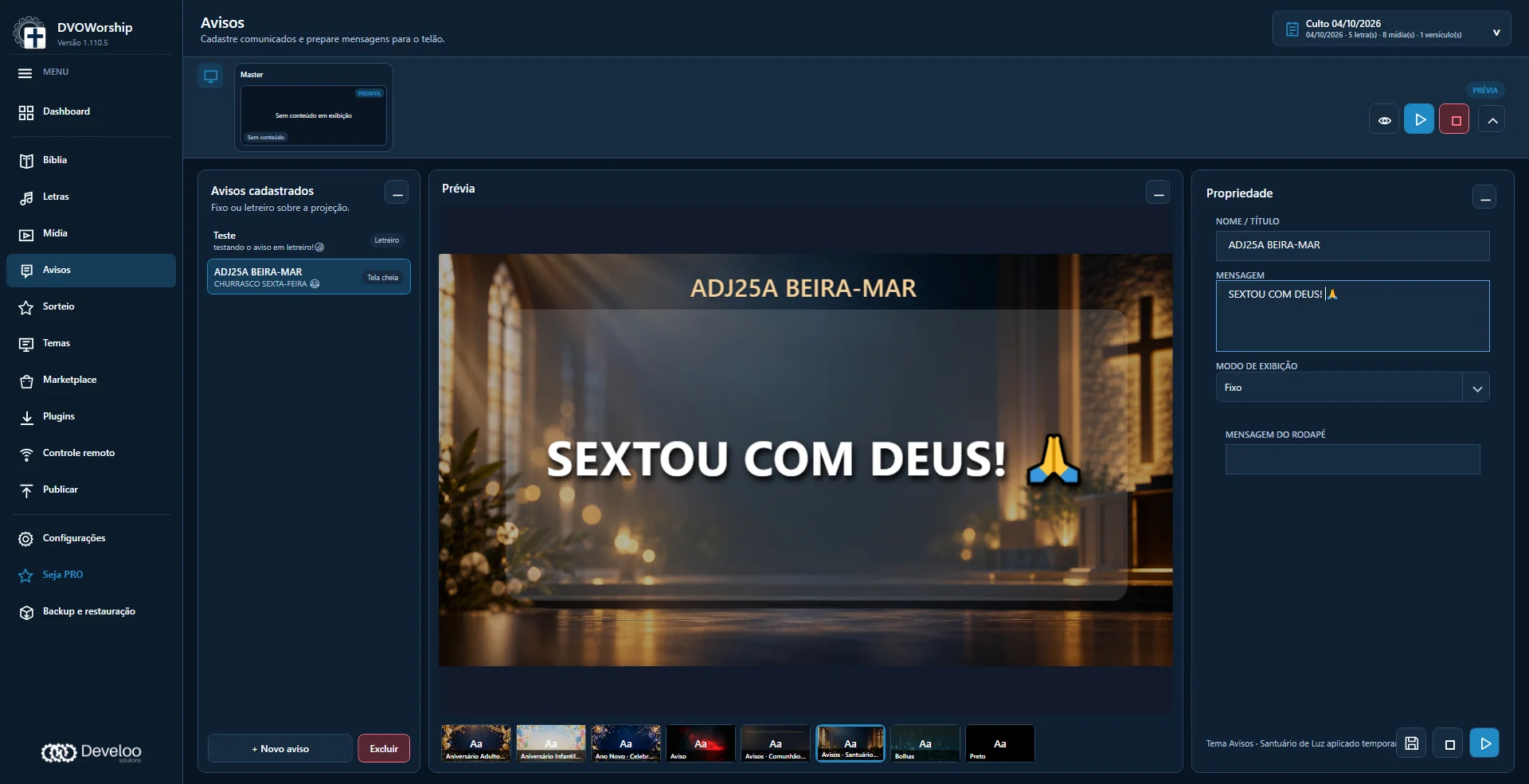 Enlarge image
 Prepare full-screen announcements or overlay a ticker on the presentation. A clock and countdown help keep track of time.
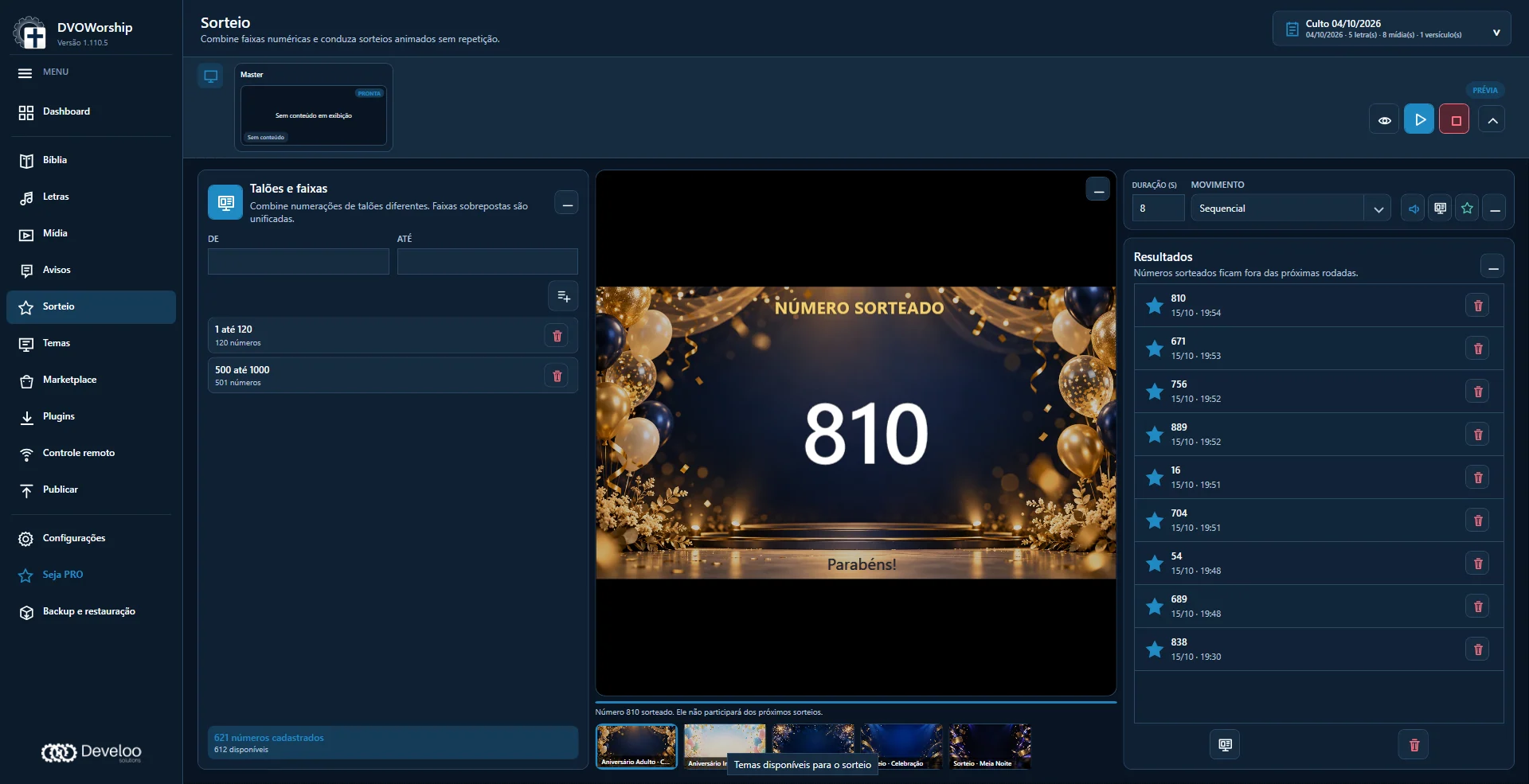 Enlarge image
 Set number ranges, choose a theme and track results. Numbers kept in the history are excluded from subsequent rounds.
Access files and bring them into the media workflow, subject to authentication and setup.
Integrate configured media audio controls with compatible equipment and network setup.
Manage downloads from compatible URLs and send files to the media queue.
Integrations and downloads depend on third-party services, equipment and tools. Only use authorized content.
Free or PRO
Start with the essentials or extend how your team prepares and follows the presentation.
Bible, lyrics, media and free themes for your church’s service projection.
A license must be requested and approved.
Request a Free licenseExtend your workflow with features that connect operators, musicians and the service plan.
12 months from activation · tied to the computer · optional renewal.
Request a PRO licenseThe application includes a trial period. Afterward, continue with a valid Free or PRO license.
Frequently asked questions
The main application runs on Windows 10 or Windows 11 on x64 (64-bit) computers. Use the download button to get the installer. PRO companion access works in a browser on compatible, authorized devices.
Local content can be projected without a continuous internet connection. The marketplace, Google Drive, downloads, license requests and updates require internet access. Web access requires a network connection to the computer running the application.
Yes. Free includes the essential features and requires a license request and approval, with no payment. PRO extends the feature set. After the trial period, a valid Free or PRO license is required to keep using the main workspace.
Yes, through PRO web access in a compatible browser on an authorized device. Musicians can follow the presented blocks or browse manually, depending on permissions and chord chart setup.
The request and payment receipt are sent from the application for support review. A reference number lets you follow the request, and the license is applied after validation and approval. Payment does not mean instant activation.
A DVOWorship license does not grant rights to songs, lyrics, chord charts, Bible translations, images, videos or other materials. Use your own content or content you are authorized to use.
DVOWorship, a Develoo product
Bring Bible, worship lyrics and media into one workspace. Discover DVOWorship and prepare your church’s next service projection.
Windows 10/11 · x64 · 15-day trial